
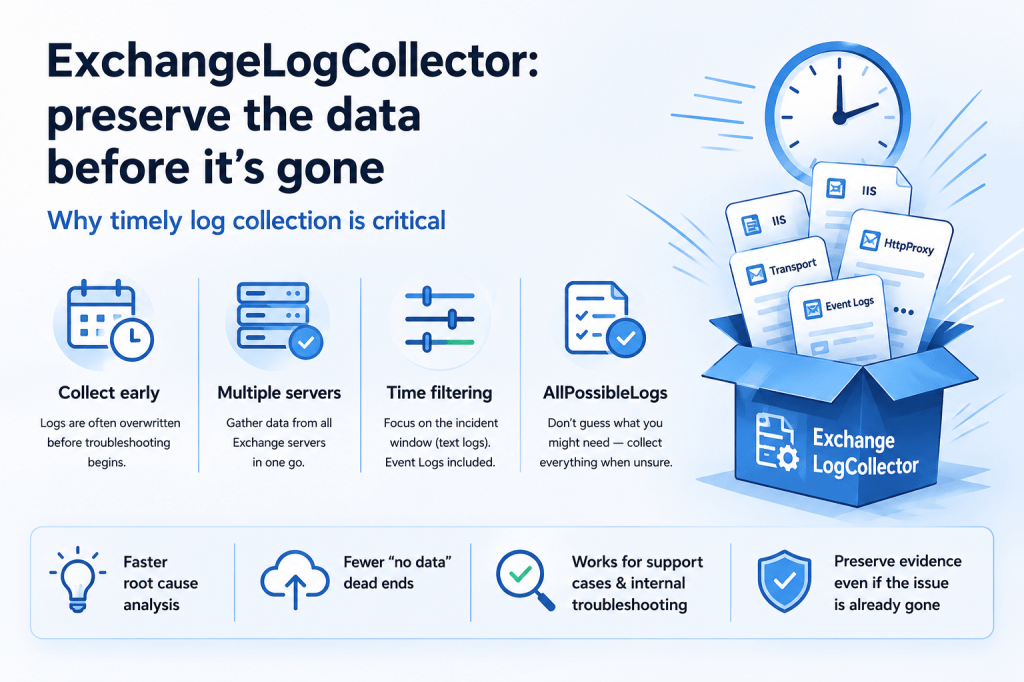
One of the most important realities of Exchange troubleshooting is the following:
the most valuable diagnostic data is often temporary.
When a serious issue occurs, administrators rarely begin collecting logs immediately.
In practice:
- users first report symptoms;
- the issue may initially appear intermittent;
- escalation may happen hours later;
- troubleshooting may begin days later;
- engineers may not yet understand which logs are actually required.
Unfortunately, by that time many Exchange logs may already be:
- overwritten;
- truncated;
- rotated;
- or no longer relevant.
This is especially important in environments with:
- heavy client traffic;
- large IIS logs;
- verbose protocol logging;
- transport activity;
- high request volume.
🧠 Troubleshooting often starts remotely
Another important practical challenge is that troubleshooting is frequently performed remotely.
In support cases, engineers usually do not have direct access to production environments.
Instead:
- customers collect logs;
- data is transferred externally;
- additional requests follow;
- missing logs must be recollected later.
Because of this, two things become critically important:
- Identifying the correct diagnostic data.
- Optimizing the collection process itself.
And ideally:
collecting enough data before it disappears.
🛠️ ExchangeLogCollector
To simplify and standardize this process, Microsoft support engineers developed a dedicated script:
ExchangeLogCollector (CSS-Exchange)
The script is part of the Microsoft CSS-Exchange GitHub repository and is specifically designed for Exchange diagnostic data collection.
Its primary goals are:
- simplify log collection;
- reduce manual effort;
- collect consistent datasets;
- accelerate troubleshooting;
- preserve diagnostic data before rotation occurs.
📋 What the script can collect
The script can collect a wide range of Exchange-related diagnostic information, including:
- Exchange logs;
- IIS logs;
- HTTP Proxy logs;
- transport logs;
- protocol logs;
- event logs;
- configuration information;
- performance data;
- cluster information;
- networking details;
- Managed Availability logs;
- and many other datasets.
This significantly reduces the risk of forgetting important logs during stressful troubleshooting situations.
⏱️ Date and time filtering
One especially useful feature is date/time filtering.
The script allows limiting collection to specific time ranges, which helps:
- reduce archive size;
- speed up transfers;
- focus on incident windows.
However, an important nuance should be understood:
date filtering primarily applies to text-based logs.
For example:
- IIS logs;
- HTTP Proxy logs;
- transport logs.
Windows Event Logs themselves are generally not filtered in the same way and may still be collected more broadly.
This distinction is important when planning data collection windows.
🖥️ Multiple server collection
Another extremely useful capability is collecting data from multiple Exchange servers simultaneously.
This is especially valuable in environments with:
- DAGs;
- multiple Client Access endpoints;
- load-balanced environments;
- distributed transport roles;
- intermittent failovers.
Many Exchange problems involve interactions between multiple servers rather than isolated single-server behavior.
The script allows centralized collection from multiple systems, helping preserve consistent timelines across the infrastructure.
📦 Archive handling and storage
The script also allows specifying output locations for generated archives.
This is useful because Exchange log collections can become very large, especially when:
- IIS logging is verbose;
- multiple servers are involved;
- protocol logging is enabled;
- long time ranges are collected.
Having a dedicated storage location simplifies:
- upload preparation;
- archive management;
- case organization;
- long-term retention.
🚀 Prebuilt scenarios simplify collection
Another practical advantage is the presence of predefined collection scenarios.
Instead of manually determining every required log source, administrators can use built-in collection profiles designed for common troubleshooting situations.
This significantly simplifies the collection process, especially during high-pressure incidents.
⚠️ One especially important parameter: AllPossibleLogs
Perhaps the single most important practical recommendation is the following:
if you are unsure which logs may eventually be required — collect everything possible immediately.
The ExchangeLogCollector script provides:
-AllPossibleLogs
This option may dramatically improve the chances of successful root-cause analysis later.
In real-world troubleshooting, this is extremely important because:
- the issue may already be gone;
- logs may rotate quickly;
- additional hypotheses may appear later;
- different support teams may request different datasets.
Very often, the biggest troubleshooting limitation is not analysis itself.
It is simply:
lack of preserved diagnostic data.
📉 Delayed escalation is extremely common
In practice, customers frequently open support cases:
- several days after the incident;
- after temporary recovery already occurred;
- after failovers;
- after service restarts;
- or even weeks later.
At that point:
- important logs may already be overwritten;
- transient counters may be gone;
- IIS records may rotate out;
- temporary events may disappear.
This is one of the main reasons why some cases eventually end with conclusions similar to:
“Root cause could not be determined due to insufficient diagnostic data.”
The earlier diagnostic collection begins, the higher the probability of successful investigation.
🗂️ Verify that important logs are actually retained long enough
Another important practical recommendation is verifying not only that logging is enabled, but also:
that important diagnostic data is retained long enough for real-world troubleshooting scenarios.
Many Exchange-related logs have reasonable default retention settings.
For example, many Exchange protocol and application logs are typically retained for approximately:
~14 days
by default.
However, retention for other important diagnostic sources is often fully controlled by the organization itself.
Examples include:
- IIS logs;
- Windows Event Logs;
- SMTP receive protocol logs;
- transport logs;
- custom monitoring data;
- SIEM-integrated logs.
In some environments, these logs may rotate significantly faster than expected due to:
- limited disk allocation;
- aggressive cleanup policies;
- high traffic volume;
- verbose logging configuration.
This becomes especially important during delayed incident escalation scenarios.
📈 Performance counters may exist only for a very limited time
Another frequently overlooked area is Exchange performance diagnostics retention.
Exchange continuously collects large amounts of internal performance and diagnostic information.
Collection of many built-in performance datasets is handled by Microsoft Exchange Diagnostics service
However, depending on:
- organization size;
- workload;
- server activity;
- retention configuration;
some built-in performance datasets may only remain available for approximately:
- 2–3 days
- before being overwritten.
As a result:
by the time troubleshooting begins, some of the most valuable historical performance data may already be gone.
This is one of the reasons why long-term external monitoring and metric retention can be extremely valuable.
✅ Logging configuration should match operational requirements
Because of this, organizations should periodically verify that:
- required logs are actually enabled;
- retention periods are sufficient;
- disk allocations are appropriate;
- historical performance visibility meets operational needs;
- and logging policies align with internal troubleshooting standards.
Otherwise, even a well-designed troubleshooting process may eventually fail simply because the required historical data no longer exists.
🎯 Final thoughts
Exchange troubleshooting is heavily dependent on data preservation.
And in many cases:
collecting the correct logs quickly is more important than beginning analysis immediately.
Tools such as ExchangeLogCollector help standardize and accelerate this process while significantly reducing the chance of losing critical diagnostic information.
Even organizations that do not work directly with Microsoft Support may benefit greatly from proactively preserving detailed Exchange logs during incidents.
Because once the logs are overwritten:
even the best troubleshooting methodology may no longer be enough.
End.


Leave a comment